Release Notes
Highlights from recent updates, plus the full release notes below.
What's new
Quick highlights. Jump to full release notes.
Full release notes
Every version, grouped by features, improvements, and fixes.
v2.22.0
January 13, 2026New Features
Improvements
Improved Typography Across Themes
Refined the font pairing and typography defaults for each theme for more consistent, polished previews and exports.
v2.21.0
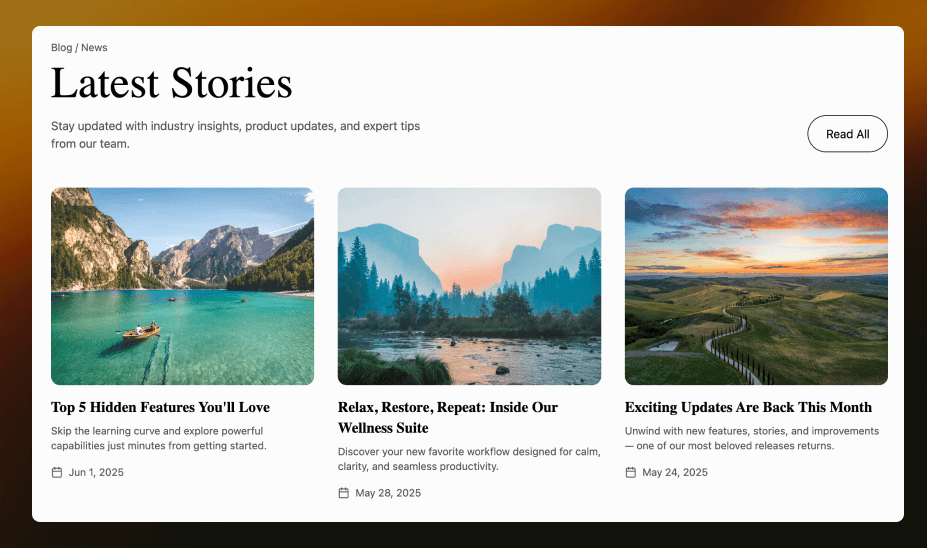
January 4, 2026🧱 Blocks (60 UI Sections)
We launched a brand-new Blocks page with 60 production-ready UI sections. Every block supports one-click Copy to Figma, turning blocks into editable Figma layers with preserved styling and layout.
v2.20.0
December 26, 2025New Features
Selection Colors (Batch Replace)
Added Selection colors to batch-update text, background, and border colors across the selected subtree, with breakpoint-aware token replacement.
Link Editing for <a> Elements
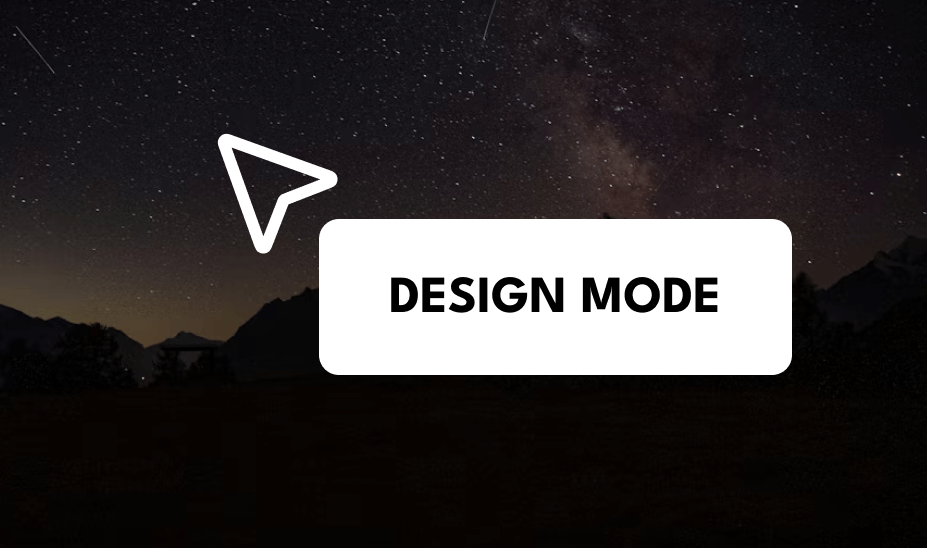
Added a Link section that lets you edit the href for selected anchor elements in Design Mode.
Improvements
Text Editing Works for Nested Inline Tags
Text controls and inline editing are no longer restricted by tag allow-lists, improving support for nested tags like b/strong/em.
Better Root Selection
You can now select body in Design Mode via parent selection and breadcrumbs for page-level styling.
Bug Fixes
Paste Without Bringing Styles
Pasting into Design Mode text editing now inserts plain text only, preventing unexpected style overrides.
v2.19.0
December 18, 2025Improvements
Design Mode Interactions
Improved Design Mode with double-click to edit text, smarter Tailwind class management, and optimized auto-save for a smoother editing experience.
v2.18.0
December 9, 2025Improvements
Text Gradient Fills
Text elements using CSS background-clip: text with gradients now correctly display gradient fills in Figma
Multi-line Inline Element Splitting
Inline text elements that wrap across multiple lines are now intelligently split.
More faithful text rendering in Figma
Improved text layout, baseline alignment, and line-height handling for more consistent results when copying into Figma.
Expanded multilingual support
Better handling for multiple languages such as Japanese, Korean, Chinese, French, and more.
Improved performance and stability
Optimized the text conversion pipeline to be faster and more reliable.
v2.17.0
December 4, 2025🎯 Pixel-Perfect Layer Order
Copy to Figma now reproduces the exact visual layer order from your web designs. Elements with z-index, absolute positioning, and overlapping layouts now appear in Figma exactly as they do in the browser.
New Features
CSS Stacking Context Support
Full support for CSS stacking context rules. Elements with z-index, opacity, transform, and other CSS properties that create new stacking contexts are now layered correctly in Figma.
Improvements
Accurate Layer Hierarchy
Overlapping elements, dropdown menus, modals, and floating buttons now maintain their correct visual order when converted to Figma.
Positioned Element Handling
Elements with position: absolute, fixed, or relative are now placed in the correct layer order, matching browser rendering.
Advanced Color Parsing
Added support for CSS Color Level 4 functions including color-mix(), light-dark(), and color(srgb). Complex color values now convert correctly to Figma.
v2.16.0
November 22, 2025Improvements
Copy to Figma Performance
Dramatically improved performance for text-heavy designs with up to 10x faster text processing through optimized line break detection.
Enhanced Text Rendering
Support for first-line indentation with intelligent line splitting and merging for better editability in Figma.
SVG Rendering
SVG images now correctly render as VECTOR nodes in Figma for better scalability and editing capabilities.
New Features
CSS Text Transform
Added support for CSS text-transform properties - uppercase, lowercase, and capitalize now render correctly.
Bug Fixes
Text Alignment
Fixed text alignment issues - right-aligned and center-aligned text now positions correctly in Figma.
Code Block Formatting
Pre and code elements now preserve line breaks and whitespace correctly.
Duplicate Text Rendering
Fixed duplicate text rendering in drop cap and floated text scenarios.
Border Rendering
Fixed border rendering for elements with individual borders (e.g., border-bottom only) - now renders correctly with proper stroke weights.
Text Decoration
Underline and strikethrough now apply and remove correctly across mixed-style text.
Text Wrapping
Single-line text no longer wraps unexpectedly due to font rendering differences.
Opacity Rendering
Transparent elements (opacity: 0) are now properly skipped, and opacity values are correctly preserved.
v2.15.0
November 17, 2025New Features
CSS Filter Blur Support
Added support for CSS filter: blur() property, now correctly converts to Figma LAYER_BLUR effect.
Improvements
Text Rendering Accuracy
Enhanced text rendering accuracy in Copy to Figma with improved font weight and line height calculations.
AI Generation Speed
Optimized AI generation speed by 20% for complex layouts.
v2.14.0
November 3, 2025New Features
SVG Filter Support
Added support for SVG filters (feGaussianBlur → blur effect, feDropShadow → drop shadow). Filters applied to groups and vectors are now correctly converted to Figma effects.
Oklab Color Support
Added parsing for CSS oklab() color format in SVG fills and strokes.
Text Gradient Fill Support
TEXT nodes now support GRADIENT_LINEAR, GRADIENT_RADIAL, GRADIENT_ANGULAR, and GRADIENT_DIAMOND fill types.
Nested Auto-Layout
Added support for nested auto-layout structures in Copy to Figma for more accurate component hierarchy.
Bug Fixes
Stroke Width Scaling
Stroke weights now correctly scale with viewBox transformations.
v2.13.0
October 20, 2025Improvements
Gradient Rendering
Optimized gradient rendering in Copy to Figma for complex radial and linear gradients with multiple color stops.
Bug Fixes
Gradient Color Stops
Fixed gradient color stop positioning accuracy in edge cases.
Button Style Preservation
Fixed buttons with background colors and borders being incorrectly merged into rich text containers, causing style loss.
Figma Opacity Format
Fixed color opacity handling - opacity is now correctly placed on the paint object rather than the color alpha channel for proper Figma rendering.
Percentage Border Radius
Fixed percentage-based border-radius (e.g., 50% for circular buttons) now correctly converts to Figma by calculating against element dimensions.
v2.11.0
September 22, 2025Improvements
Border Radius Handling
Improved border radius handling in Copy to Figma for complex shapes and nested containers.
Text Looks Closer to What You See in the Browser
Better results when importing rich text: mixed styling, line wrapping, and spacing are more consistent.
More Accurate Styled Text
Improved rendering for text with decorative styling like highlights, borders, shadows, and transparency.
New Features
Multiple Box Shadows
Enhanced shadow rendering with support for multiple box-shadows.
Bug Fixes
SVG CSS Styles
Fixed SVG elements losing CSS styles (fill, stroke, opacity) set via external selectors when converting to Figma.
Fixed Occasional “Text Sticking Together”
Resolved cases where separate pieces of text could unexpectedly combine during import.
Removed Stray Hidden Text From Imports
Imports no longer include unexpected hidden or non-visible text content in some pages.
v2.10.0
September 8, 2025New Features
Figma Vector Network
Added support for Figma vector network drawing, enabling more accurate SVG path rendering.
SVG currentColor Support
SVG elements using currentColor now correctly inherit and apply the parent element color.
WebP Image Format
Added support for WebP image format with automatic conversion to PNG for Figma compatibility.
IMG Tag SVG Support
IMG tags with SVG sources (data:image/svg+xml or .svg URLs) now correctly convert to Vector nodes in Figma.
CSS Color Level 4 Support
Added support for modern CSS color formats including oklab(), oklch(), lab(), and lch() with accurate color space conversion.
Background Images in Figma
Added support for background images and image fills in Copy to Figma.
Message Undo/Redo
Easily revert to previous design iterations with full undo/redo functionality.
Bug Fixes
Fixed Position Element Containers
Elements containing fixed/absolute positioned children (like headers with sticky navs) are no longer incorrectly removed due to zero height.
Button Background Color
Fixed button background colors being applied to inner text wrappers instead of the outer container frame.
v2.9.0
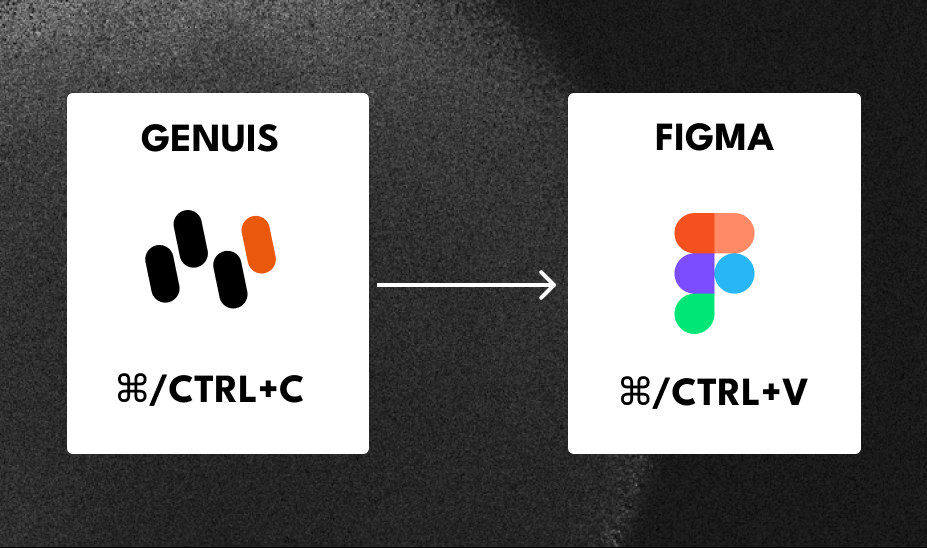
August 25, 2025🎉 One-Click Copy to Figma
Transform AI-generated designs into editable Figma layers instantly. All elements are converted to native Figma layers with preserved styling, gradients, and typography.
New Features
Gradient Support
Full support for linear and radial gradients with accurate color stop positioning.
Text Layer Conversion
Intelligent text layer conversion with preserved font families, sizes, and styling.
Version History
View and restore previous design generations with full version history tracking.
Improvements
Layout Conversion
Optimized layout conversion in Copy to Figma with improved spacing and alignment accuracy.
v2.8.0
August 11, 2025New Features
Custom Icon Libraries
Choose from Tabler Icons, Heroicons, Lucide, and Font Awesome for your designs.
Improvements
Settings Panel
Enhanced settings panel with better organization of theme and component options.
v2.7.0
July 28, 2025New Features
Custom Font Support
Use any Google Font or system font in your designs.
Advanced Theme Customization
Primary color, border radius, and mode selection for complete theme control.
Improvements
Real-Time Preview
Improved real-time preview rendering for faster design feedback.
v2.6.0
July 14, 2025New Features
Styling Presets
Choose from popular design systems including Material Design, Ant Design, and shadcn/ui, or let AI automatically apply the best styling.
Improvements
AI Intelligence Toggle
Enhanced AI intelligence toggle for automatic color and layout decisions.
v2.5.0
June 30, 2025New Features
One-Click Deployment
Share live, interactive prototypes with a single link.
Code Download
Export your designs as HTML/CSS code.
v2.4.0
June 16, 2025New Features
Image-to-Design Conversion
Upload screenshots, mockups, or wireframes to generate UI.
Improvements
AI Design Understanding
Improved AI design understanding for complex layouts and nested components.
v2.3.0
June 2, 2025New Features
Platform Selection
Generate designs optimized for Desktop or Mobile.
Real-Time Preview
Live updates during generation for instant feedback.
v2.2.0
May 2025New Features
Iterative Design Refinement
Use natural language to modify and improve generated designs.
Improvements
Context Awareness
Enhanced context awareness for multi-turn design conversations.
Chat Interface
Improved chat interface with better message organization and visual hierarchy.
v2.1.0
April 2025New Features
Dark Mode Support
Generate designs in dark mode and light mode themes.
Improvements
AI Model Capabilities
Expanded AI model capabilities for better understanding of design patterns and UX best practices.
Generation Speed
Optimized generation speed for faster initial design creation.
v2.0.0
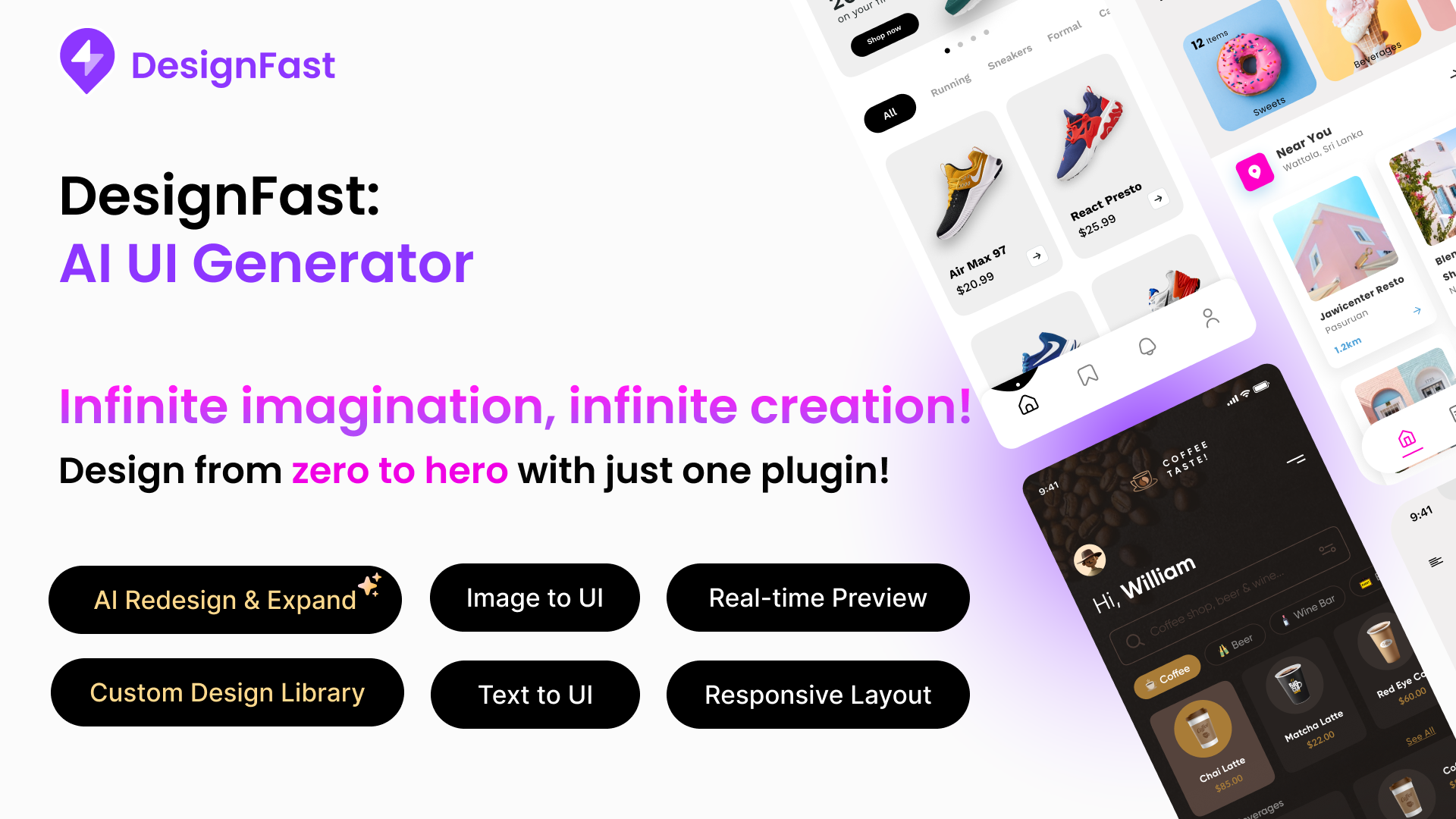
March 10, 2025🎉 DesignFast Figma Plugin
Transform your text descriptions into editable UI designs directly within Figma. Streamline your workflow and go from idea to design in seconds.
Install Plugin →New Features
Generate in Figma
Generate screens from simple prompts directly in Figma with your own color and typography styles.
Native Figma Layers
All generated elements are standard Figma layers (Frames, Auto Layout, Text).
v1.4.0
February 2025Improvements
Cloud Infrastructure
Migrated to scalable cloud infrastructure for improved reliability and performance.
AI Model Fine-Tuning
Fine-tuned AI model on modern web design patterns and component libraries.
v1.3.0
January 2025New Features
Text Prompt UI Generation
Introduced text prompt-based UI generation with natural language understanding.
Chat-Based Interface
Launched new chat-based interface for intuitive design creation.
Design Mode - Visual Editor
A powerful visual editing mode that lets you fine-tune AI-generated designs directly in the preview. Select any element with hover and click, adjust typography, colors, borders, and replace images with real-time preview.View more
Improvements
Beta Access
Expanded beta access to more users for testing and feedback.
v1.2.0
December 2024New Features
Real-Time Streaming
Implemented real-time streaming generation for faster feedback.
Select Mode
Click the Select button to enter element selection mode. Hover and click to select any element in the preview, then describe your changes - the AI will understand exactly which element you want to modify.View more
Improvements
Backend Infrastructure
Set up production-ready backend infrastructure.
v1.1.1
November 29, 2024🎨 Templates Gallery
Browse and remix beautiful, ready-to-use UI templates. From landing pages to email designs, get started faster with professionally designed templates that you can customize to your needs.
New Features
Templates Gallery
A curated collection of professionally designed templates including landing pages, email templates, and more. Browse by category, preview in real-time, and remix with one click.View more
One-Click Remix
Instantly open any template in the design editor to customize colors, typography, and content to match your brand.
Live Template Preview
Preview templates in full interactive mode before remixing, with responsive iframe rendering.
v1.1.0
November 2024New Features
Core Rendering Engine
Built core rendering engine for HTML/CSS generation from AI outputs.
First Prototype
Created first working prototype of text-to-UI generation.
Improvements
Internal Alpha
Launched internal alpha for team testing and iteration.
v1.0.0
October 2024Improvements
AI Exploration
Explored AI capabilities for UI generation and design understanding.
Product Vision
Defined product vision and core feature set.